
Spend time growing.
Spend less time assembling databooks and chasing requests, and more time with clients and developing new business.
The Transaction Advisory Operating System
One system to run your transaction advisory practice. Manage deal workflows, track your team’s work, and prepare workpapers with AI and financial automation. Use Practice Intelligence to see across your deals and track the metrics that matter to your firm.
Your firm’s templates, workflows, and metrics in one system.
Built for transaction advisory practices.
Build a practice that can keep up with the business you win.
Spend less time assembling databooks and chasing requests, and more time with clients and developing new business.
Automate repeatable diligence work so you can take on more deals without every new deal becoming another hiring decision.
See outstanding requests, workpaper review status, and what needs to be done before the management meeting.
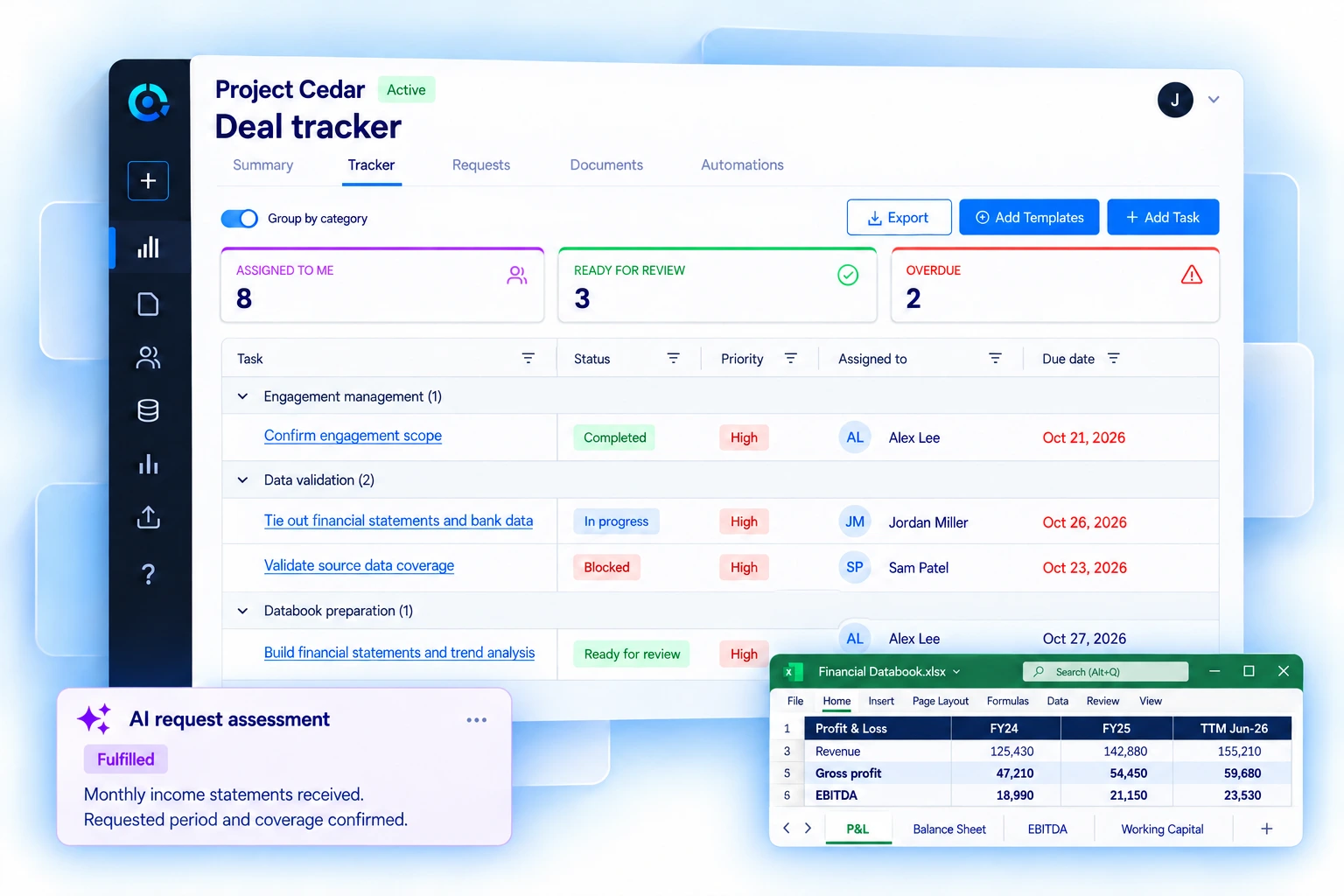
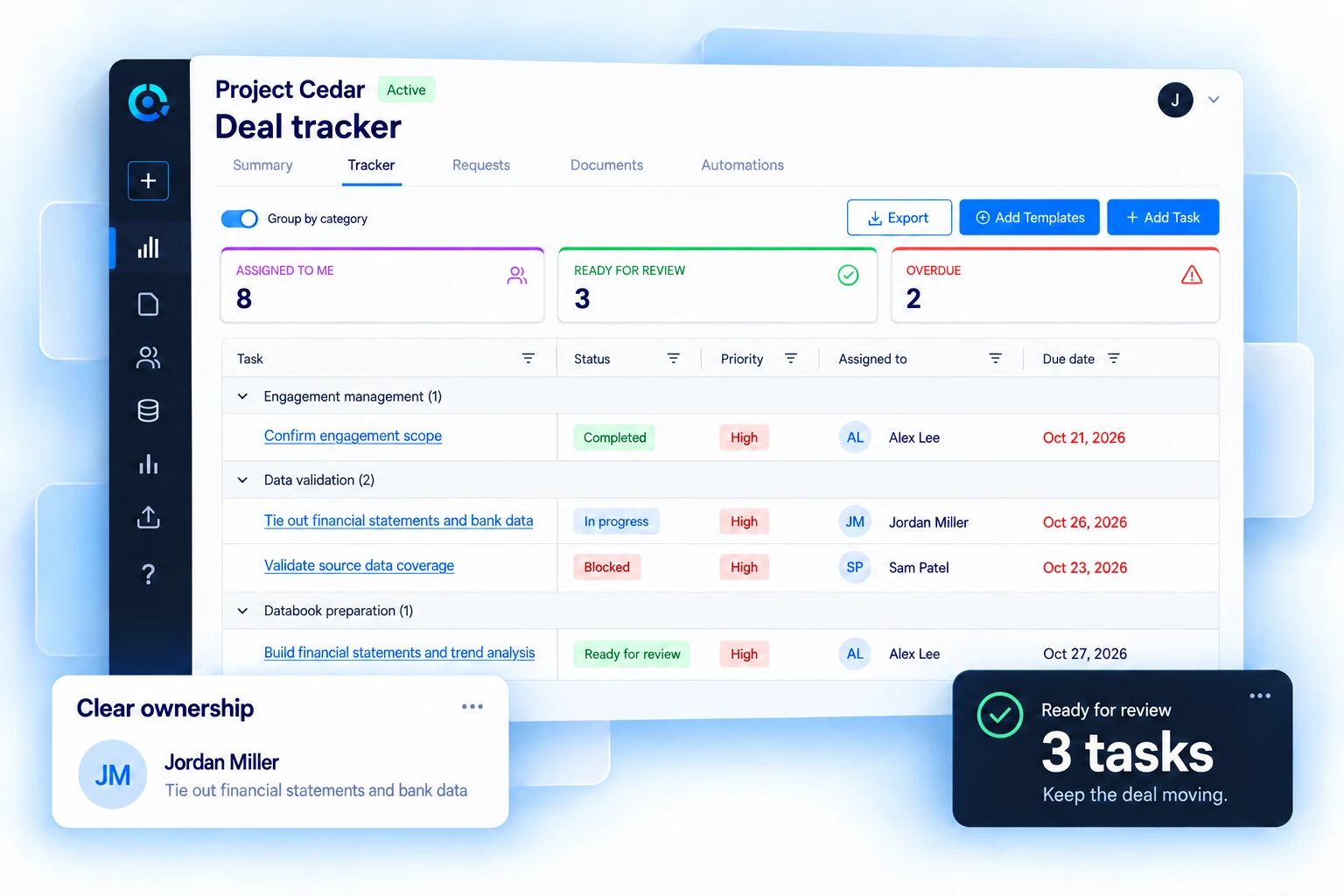
Track tasks, owners, deadlines, and milestones. Keep the request list, documents, automated work, and reviews with the deal.
Select a workflow to see how it works.
Use the deal tracker to assign tasks, track deadlines and milestones, and see what is in progress or ready for review.
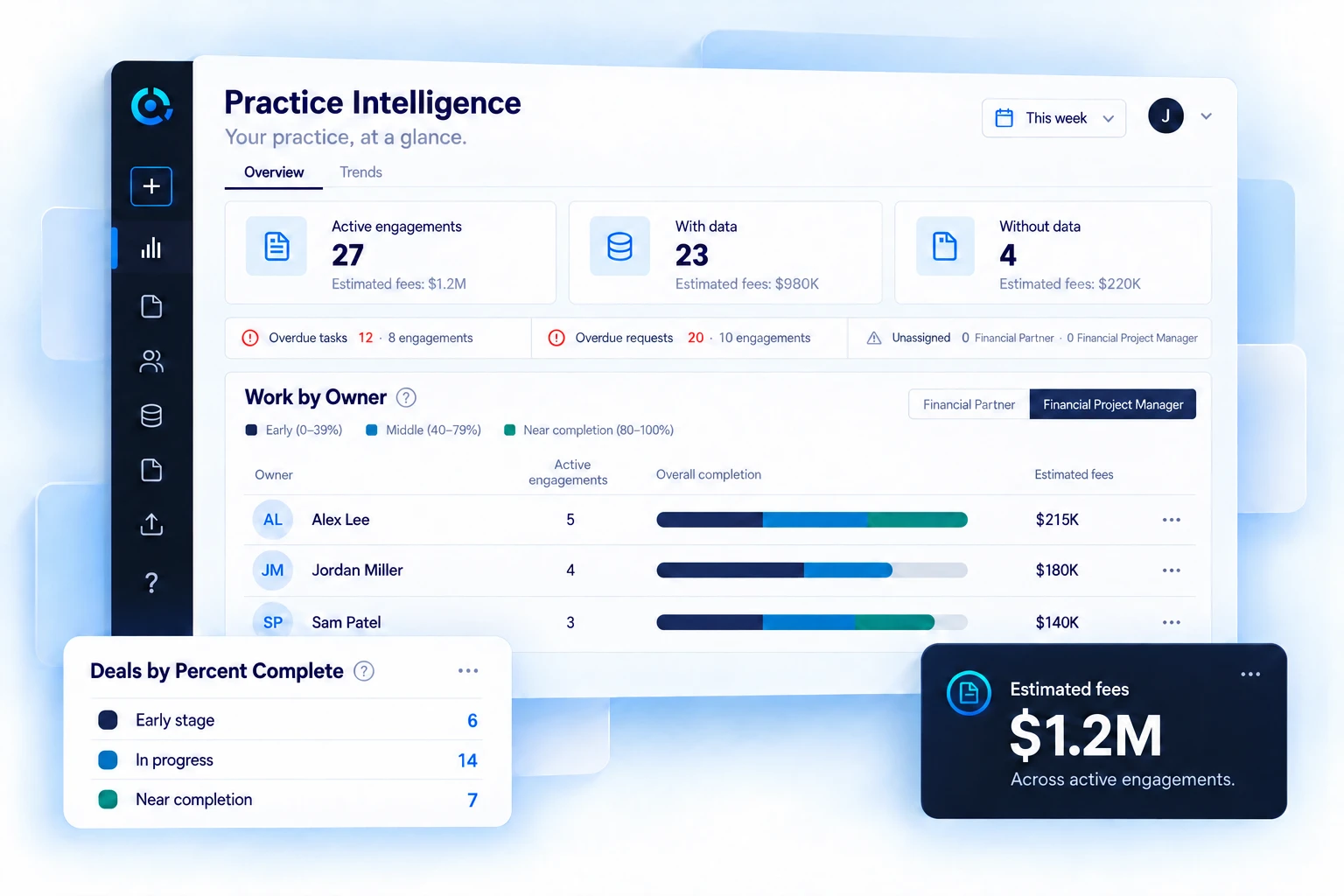
Get a firm-wide view of active deals and key milestones, from data received to management meeting, draft QoE, and final report. Track deal volume, time between milestones, industry, and opportunity source.
Choose the metrics your firm tracks in Practice Intelligence. See how the practice is growing and where deals need attention.
See Practice Intelligence in a demoUse AI to match and summarize documents, extract key data, and map accounts. Use defined rules and calculations to build databooks and perform diligence procedures.
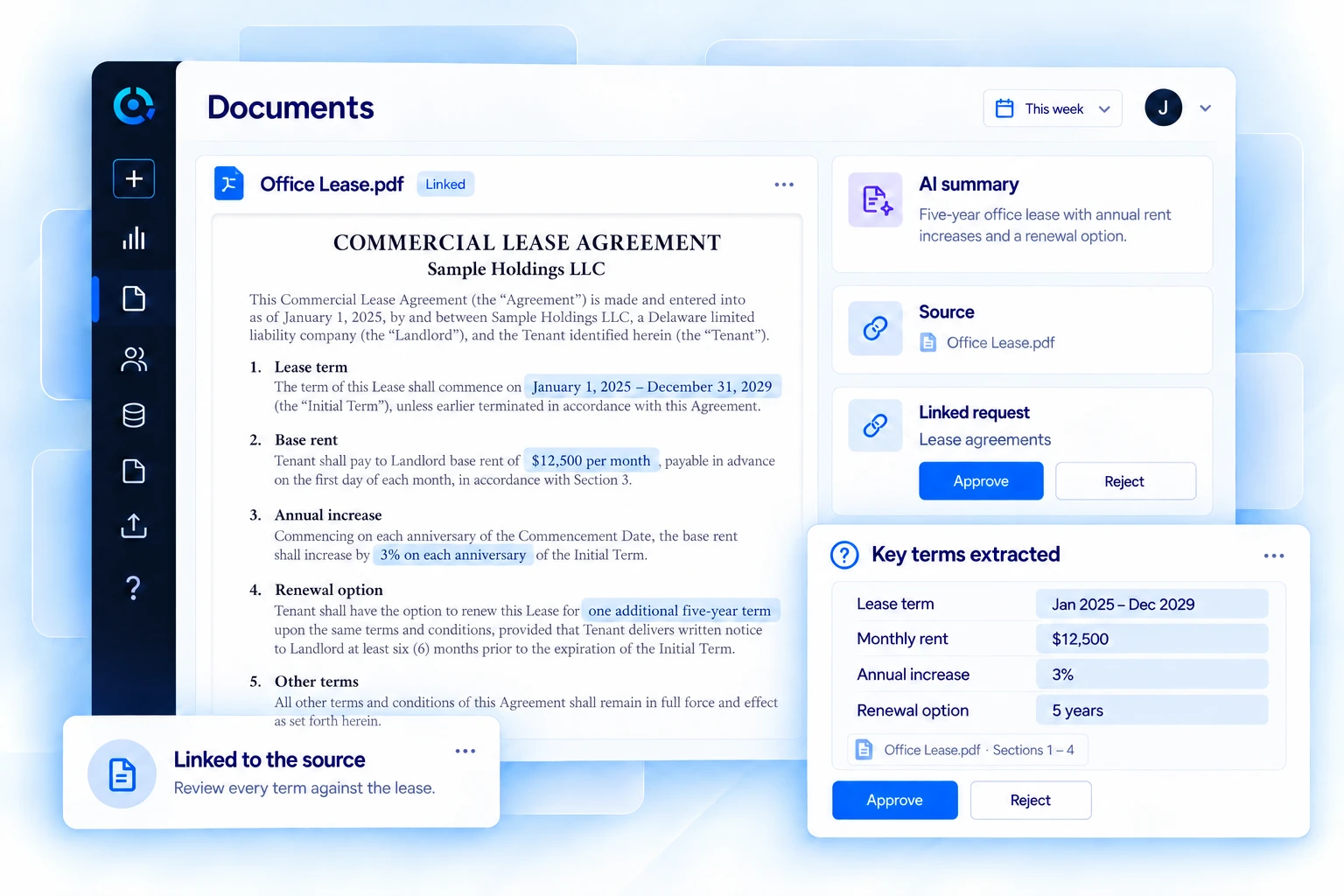
Use AI to review incoming documents and prepare data for the team.
Connect incoming files to the request list and update what has been received.
Summarize the contents so the team can review the key information.
Pull out the information your team needs from the documents it receives.
Use AI to map accounts to your firm’s categories.
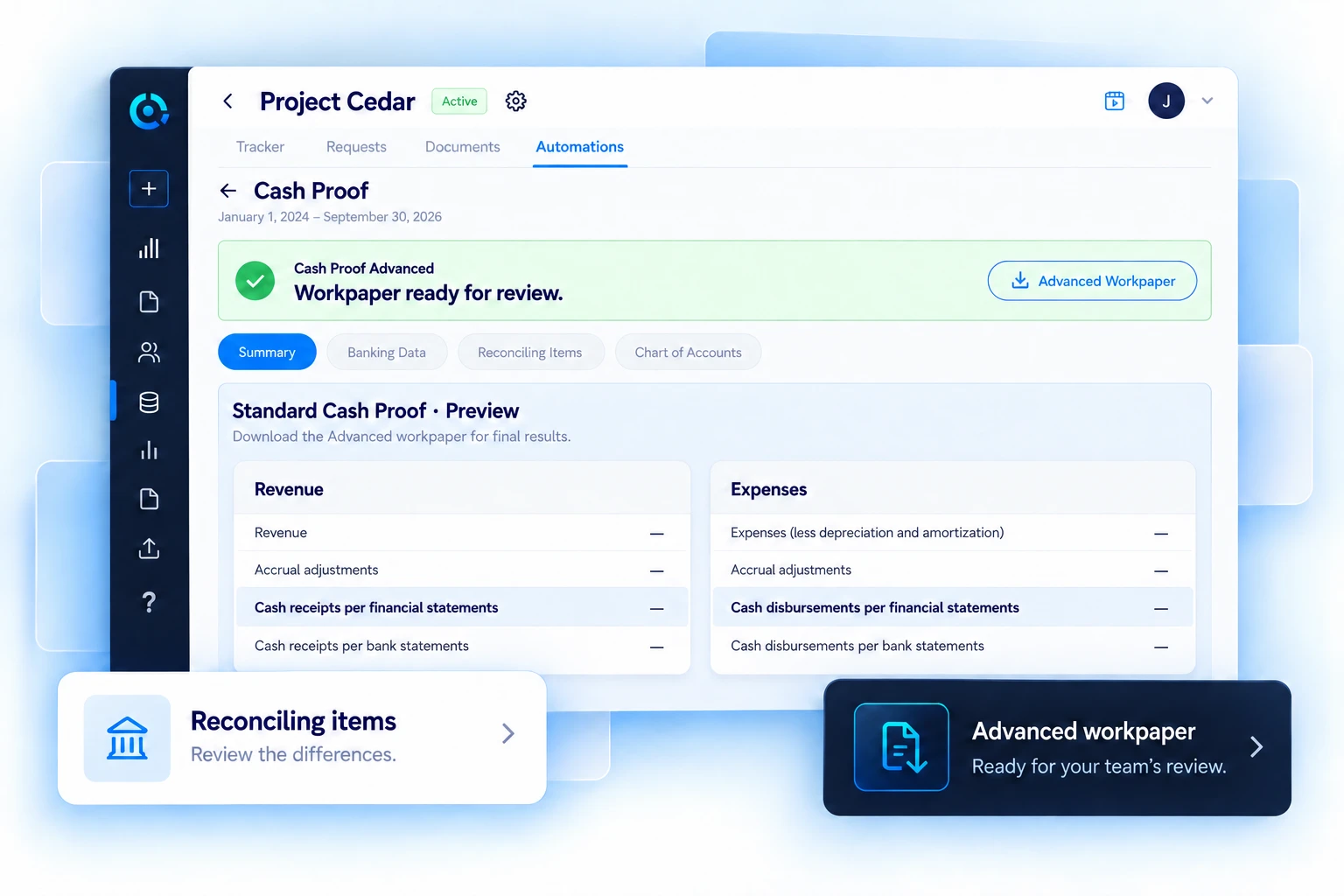
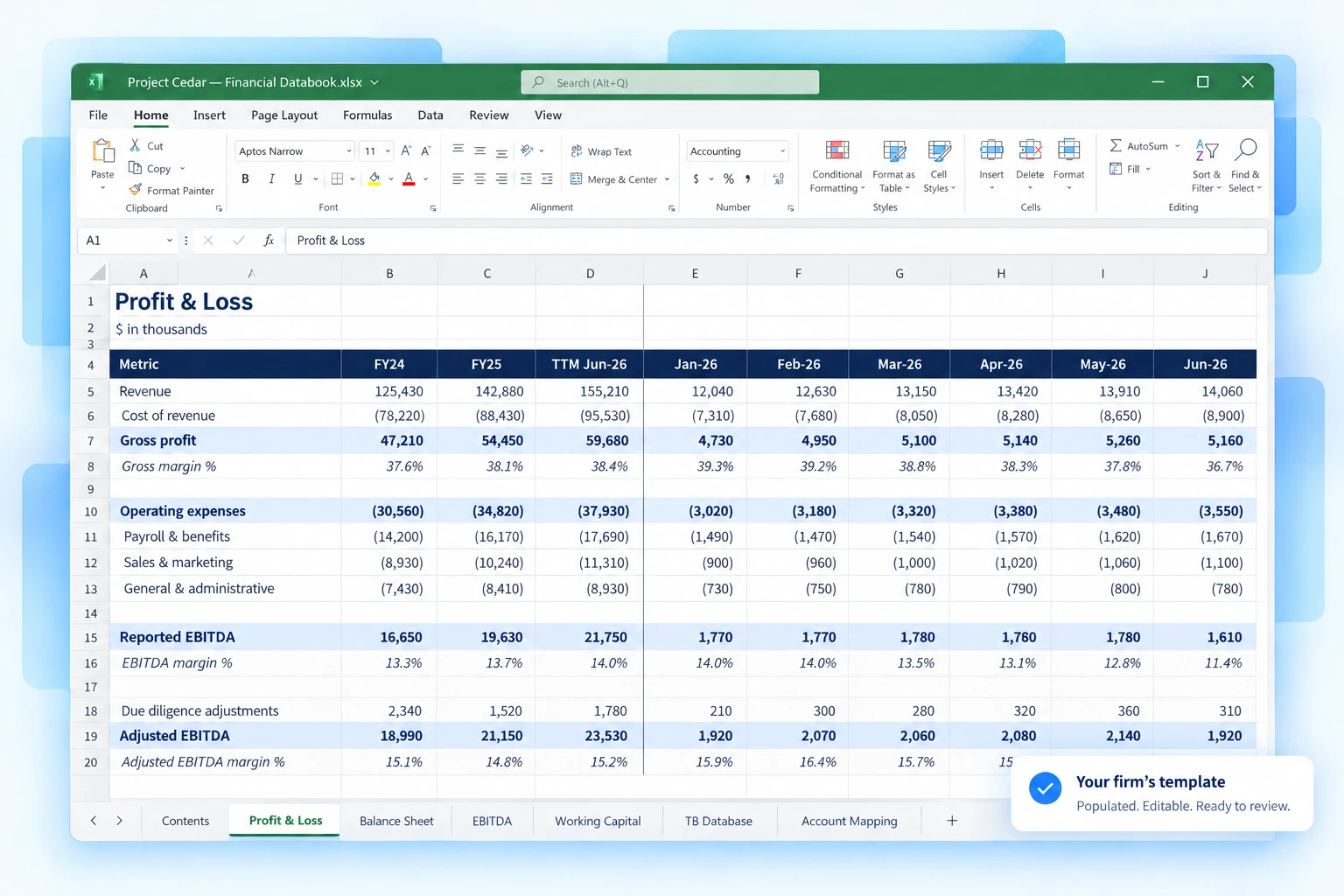
Populate your firm’s databook templates and complete cash proofs using defined rules and calculations.
Workpapers prepared using your firm’s templates and methodology.
AI and financial automation work within the same deal. Your team reviews the results and draws the conclusions.
In an onboarding workshop, we review your process and configure TAS OS using your firm’s materials. It is also a chance to fix the things you want to change.
Let’s talk about your practiceShare your request lists, example databooks, and project management materials. We start with how your firm works.
Review your workflows, fix issues, and choose the key metrics you want to track.
We set up your templates, configure AI and automations, and prepare the system for your first deal.
How the platform fits your firm and the tools you use.
TAS OS combines AI with your firm’s workflows, templates, diligence automations, task tracking, reviews, and Practice Intelligence. It is configured to run your deals and manage your practice. Your team can still use Claude alongside it.
We start with your materials. During onboarding, Audit Sight turns your request lists, example databooks, and project management materials into configured templates and workflows. The workshop is also an opportunity to improve the process.
Yes. Your databooks are yours to edit in Excel. Change formulas, add schedules, make adjustments, and format them however your team prefers. You stay in control of the file.
We’ll walk through the platform using the work your team does every day and discuss how it would fit your firm.
Audit Sight’s newsletter for transaction advisory professionals.